Automatic shortcut capture
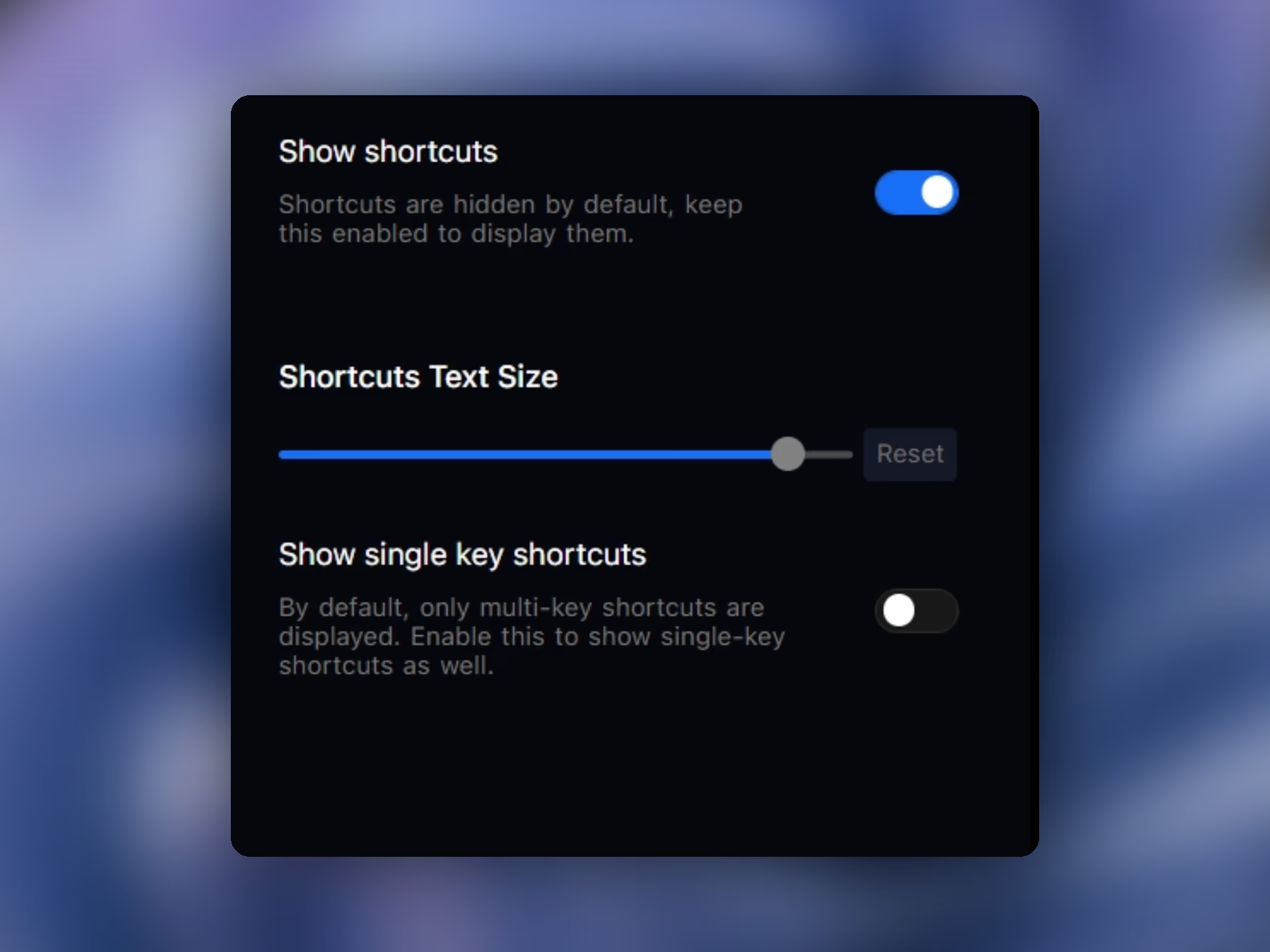
Turn shortcut overlays on with a single toggle so Pane Studio can surface keyboard shortcuts automatically.
Show keyboard shortcuts automatically in tutorials, demos, and onboarding videos with adjustable labels and support for single-key actions.
Download for FreeTurn shortcut overlays on with a single toggle so Pane Studio can surface keyboard shortcuts automatically.
Make shortcut labels larger or smaller depending on how prominent they should feel in the final recording.
Pane Studio can show single-key shortcuts in addition to multi-key combinations when the tutorial depends on them.
Shortcut overlays help onboarding videos, product demos, and help docs explain keyboard-driven workflows faster.
Pane Studio can capture shortcut overlays during recording so the final tutorial or product walkthrough can show keyboard-driven actions more clearly. That makes it easier to explain workflows where viewers need to see the exact keys being pressed.
After recording, you can control shortcut label size and decide whether single-key shortcuts should be shown alongside larger combinations. That gives teams a cleaner way to record shortcut-based tutorials without manually recreating callouts in another editor.
Download Pane Studio - the native Windows screen recorder for creators, educators, and product teams.