Crop Screen Recordings on Windows

Reframe the recording after the take with exact crop values, aspect presets, and crop-aware zoom, cursor, mask, and export behavior.

Download for Free

Exact crop values

Enter width, height, x position, and y position when the crop needs to be precise instead of approximate.

Aspect ratio presets

Choose presets like 16:9, 1:1, 4:3, 9:16, 3:4, and 4:5 when the crop needs to match a final channel.

Custom ratio and full reset

Use a custom aspect ratio when needed, then reset back to the full recording area with a clean visual reset.

Crop-aware editing

Zoom, cursor, masks, layouts, and export all use the selected crop so the rest of the edit stays aligned.

How does crop work in Pane Studio?

Crop first, then keep the rest of the edit aligned to the selected frame.

Dedicated crop editor

Crop the recording with a frame preview instead of guessing

Pane Studio opens a dedicated crop editor from the preview so you can drag the crop region, resize it from edges or corners, and use the current frame as visual context. That makes it easier to crop a screen recording after recording without losing the part of the workflow that matters.
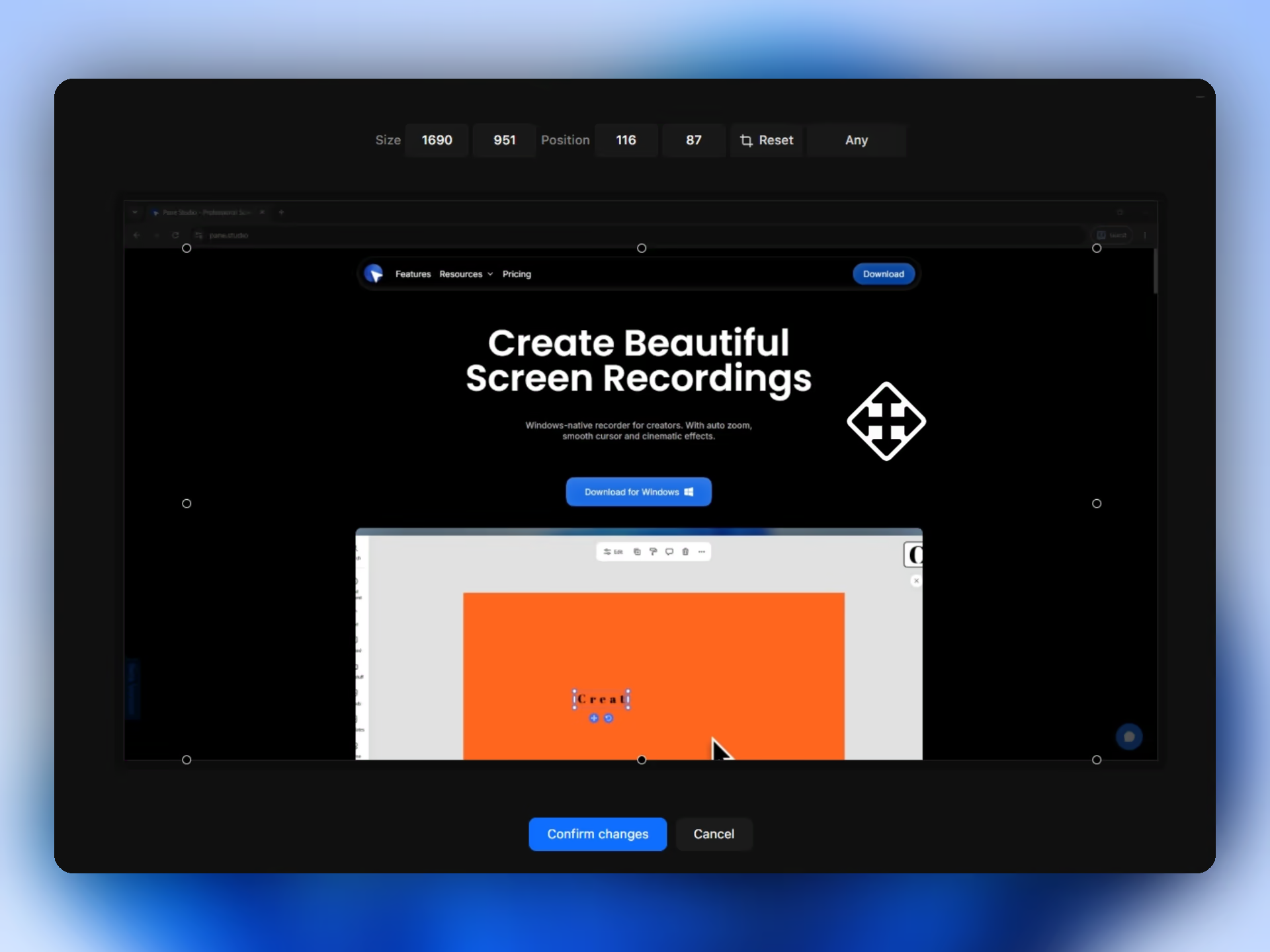
Dedicated Crop window in Pane Studio
Downstream behavior

The selected crop becomes the source frame for the rest of the edit

In Pane Studio, crop is not just a final export trim. Auto zoom, manual zoom targets, cursor rendering, masks, layouts, templates, and export all use the selected crop, which helps the final video stay consistent after reframing.
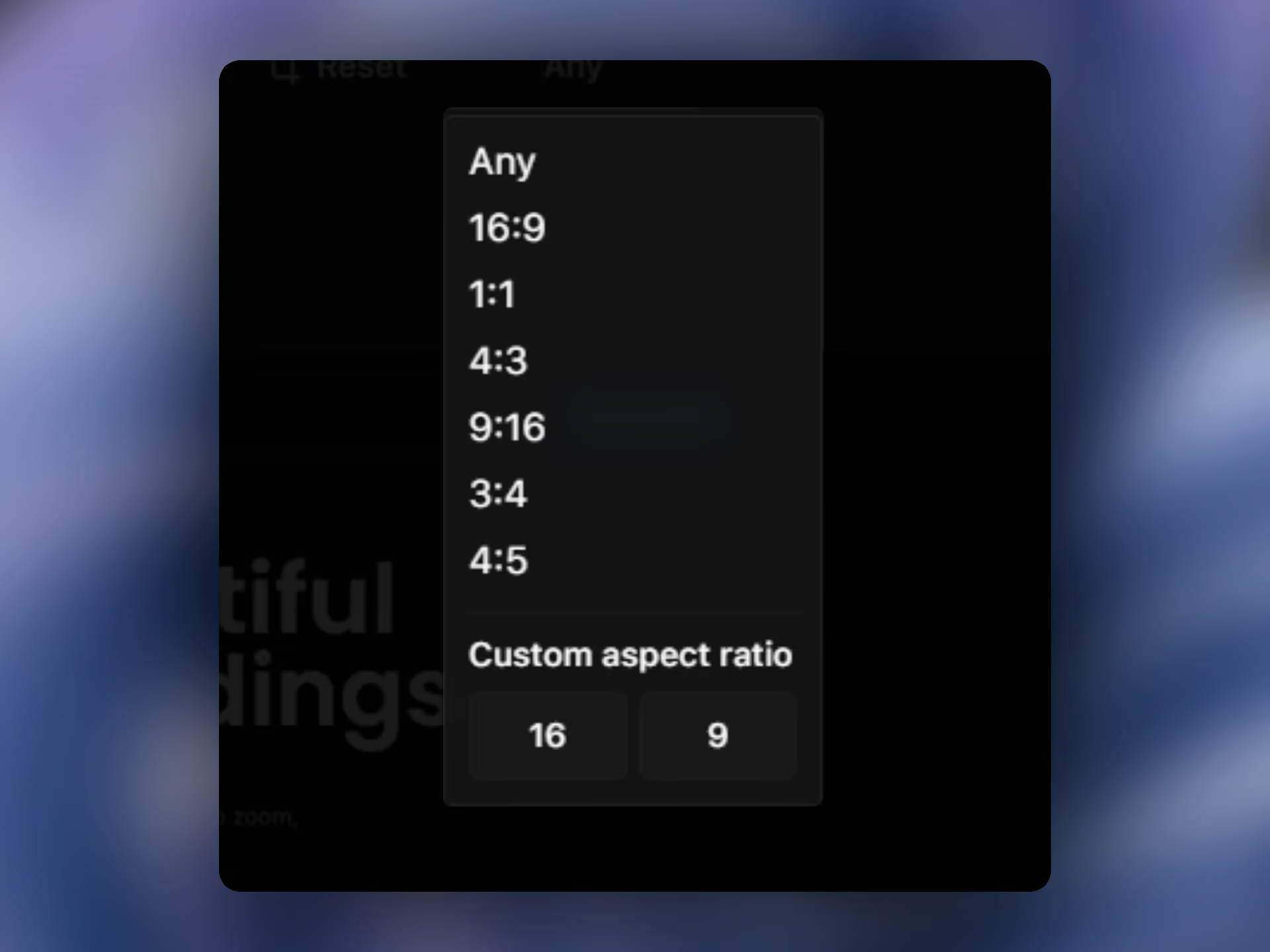
Aspect ratio and crop options in Pane Studio

Related features

Keep the crop aligned with the rest of the workflow.

FAQs

Yes. Pane Studio lets you crop a screen recording after recording, using a dedicated crop editor with frame preview, exact values, and aspect presets.

Pane Studio supports crop presets like 16:9, 1:1, 4:3, 9:16, 3:4, and 4:5, and it also supports custom aspect ratios.

Yes. Pane Studio lets you enter exact width, height, x position, and y position values for the crop.

Yes. Crop becomes the source frame that auto zoom, manual zoom targets, cursor rendering, masks, layouts, and export use inside Pane Studio.

Yes. Pane Studio can reset the crop back to the full recording area when you want to return to the original frame.

Yes. Crop is useful when one recording needs to fit a tighter demo frame, a social format, or a cleaner tutorial composition. If you need format-specific outputs too, see aspect ratios for screen recording.

Start recording beautiful videos on Windows

Download Pane Studio - the native Windows screen recorder for creators, educators, and product teams.

Beta Version