Follow the important click
Auto zoom helps viewers land on the right button, menu, or field without making you animate every moment by hand.
Auto zoom for Windows
A Windows screen recorder with auto zoom that helps tutorials, product demos, and walkthroughs stay clear without feeling over-edited.
Auto zoom automatically brings the active part of the screen closer so tutorials, demos, and walkthroughs stay easier to follow.
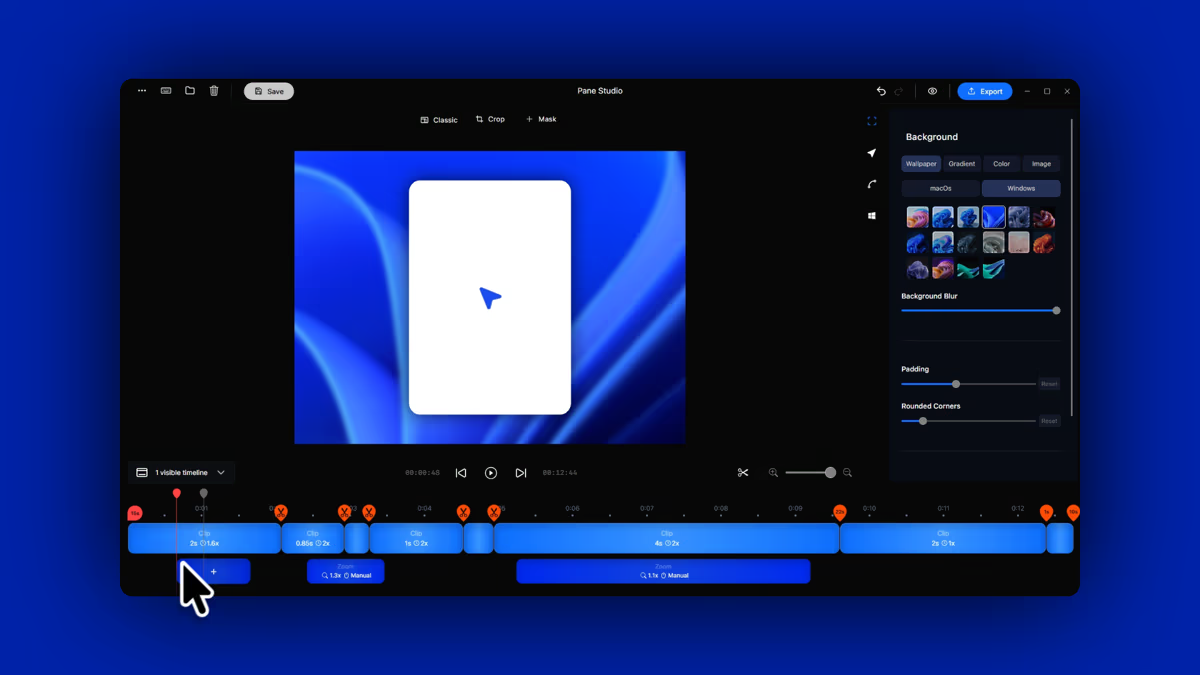
Good zooming is less about drama and more about clarity. It keeps viewers close to the action without interrupting the flow of the recording.
Auto zoom helps viewers land on the right button, menu, or field without making you animate every moment by hand.
When the interface is busy, zooming into the active part of the workflow makes the lesson feel calmer and easier to understand.
Product demos move better when the viewer always knows where to look. Auto zoom adds that guidance without slowing the story down.
Use automatic zoom as the starting point, then adjust the framing when a moment needs more precision or a cleaner composition.
Auto zoom is great when you want speed, but the recording still needs enough control to feel intentional once you start shaping the final cut.
Automatic zoom
Auto zoom works best when the cursor is already telling a clear story. It gives tutorials and walkthroughs a stronger first draft by bringing the active part of the interface forward without making you animate every move by hand.
Refine the moment
To focus on the main action, Pane Studio automatically zooms in on the actions you perform on your screen. This helps tutorial and demo videos stay easy to follow, especially when you are clicking through a workflow while speaking on camera. If you also want to control how the webcam and screen appear together, see custom screen recording layouts.
Make short how-to videos feel clearer for new users by bringing the active part of the screen forward at the right time.

Auto zoom is a screen recording feature that automatically brings the active part of the screen closer so viewers can follow the action more easily. It is especially useful for tutorials, product demos, onboarding clips, and walkthrough videos.
Yes. Pane Studio can automatically zoom into important moments so the viewer's attention stays close to the click, field, or interface change that matters.
Yes. Auto zoom can be the starting point, and you can still refine the framing afterward when a moment needs a different focal point or a cleaner composition.
Absolutely. Product demos feel clearer when viewers do not have to search the screen. Auto zoom helps the recording guide attention naturally while the workflow keeps moving.
Yes. Pane Studio works well for tutorial videos because it combines auto zoom, smooth cursor motion, and fast editing in one Windows-native workflow.
Auto zoom follows the action for you, which is great when you want speed and a clean first pass. Manual zoom gives you direct control over the focal point when you want to shape the moment more precisely.
Yes. Pane Studio is built for Windows and is designed for creators working on Windows 10 and Windows 11.
Yes. Auto zoom works well alongside screen-and-webcam recordings, especially when you want the product to stay readable while still keeping the presenter in the frame.
Download Pane Studio - the native Windows screen recorder for creators, educators, and product teams.