Create Beautiful
Screen Recordings
Windows-native recorder for creators. With auto zoom, smooth cursor and cinematic effects.
Automatic Zoom on Clicks
Smooth cinematic zoom-ins triggered by your clicks. The auto-zoom screen recorder feature other tools copy, done right.
Explore Automatic ZoomCinematic Backgrounds
Gradient, image, or brand backgrounds. Every recording looks professional by default.
Explore BackgroundsQuick Record Anywhere
Record webcam, screen, microphone, and system audio together. Customizable camera layouts for tutorials, demos, and YouTube videos.
Explore Camera LayoutsMore than a screen recorder. A built-in video editor for Windows.
Pane Studio lets you trim, crop, speed up, and polish recordings instantly — with a built-in cinematic editor made for Windows.
Crop & Reframe
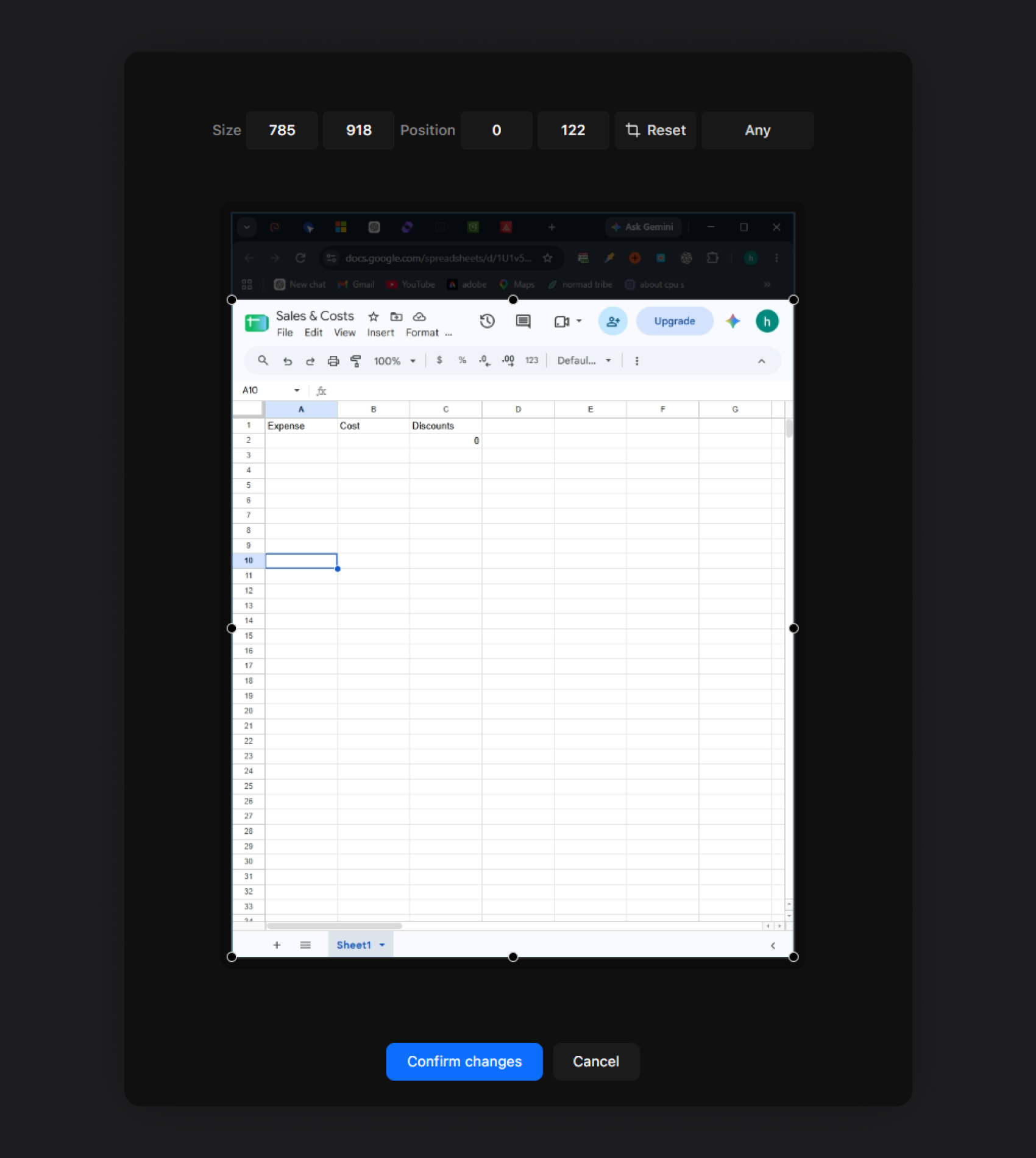
Adjust the frame, crop distractions, and keep attention on what matters most. Fine-tune the aspect ratio and framing without re-recording.
Cut, Trim & Speed Up
Trim video fast, cut out pauses, and speed up slow sections so your final recording moves at the right pace.
Vertical, Square, Landscape
One-click aspect ratio for YouTube tutorials, Instagram Reels, TikTok, or landing-page demos. Works for vertical screen recording on Windows.
Shadow, Padding & Brand
Beautiful padding, shadows, and brand colors on every clip.
Resize the Cursor After Recording
Change cursor size, smooth the motion, or hide idle cursors - all after you've hit stop.
From idea to done
in a snap.
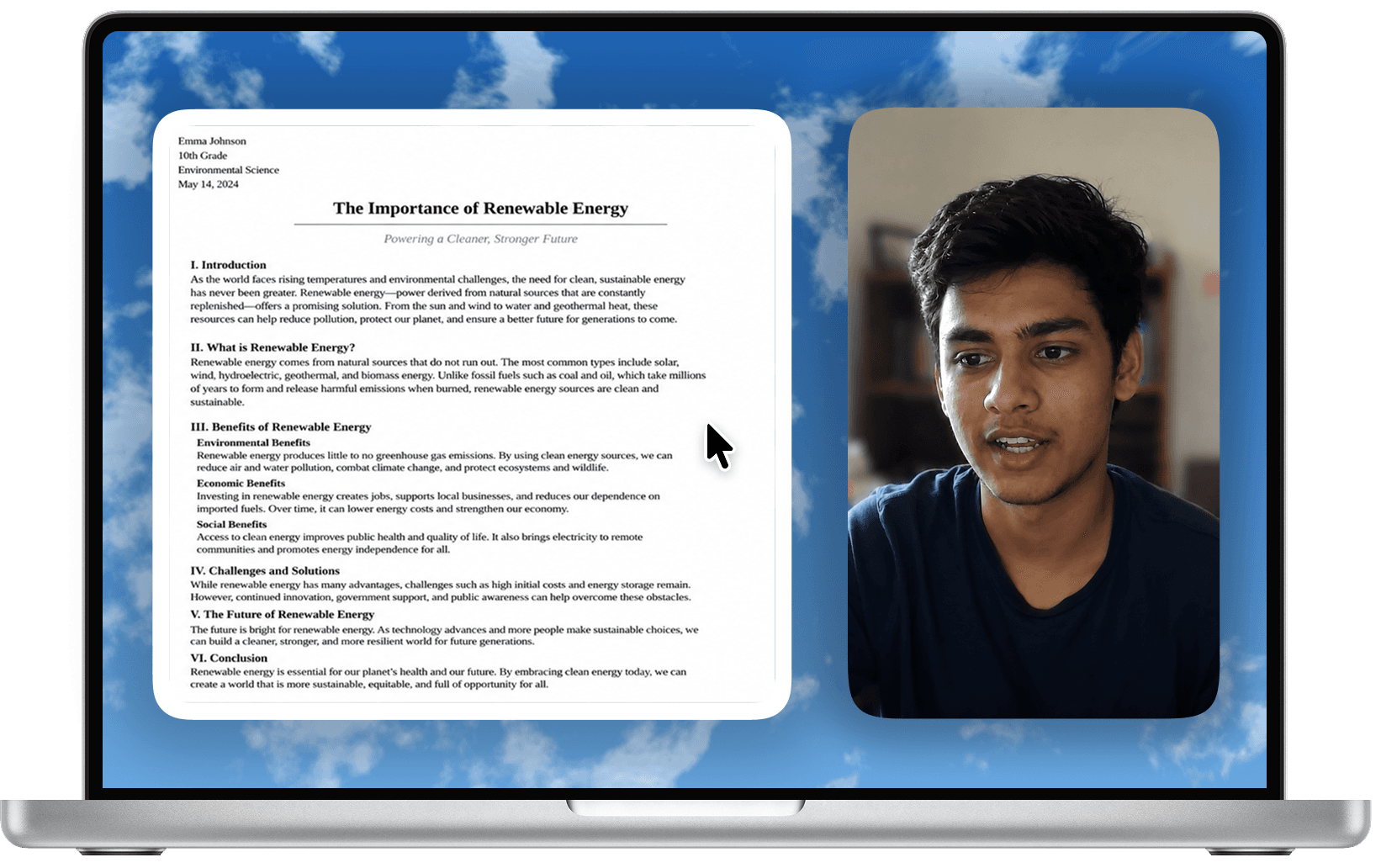
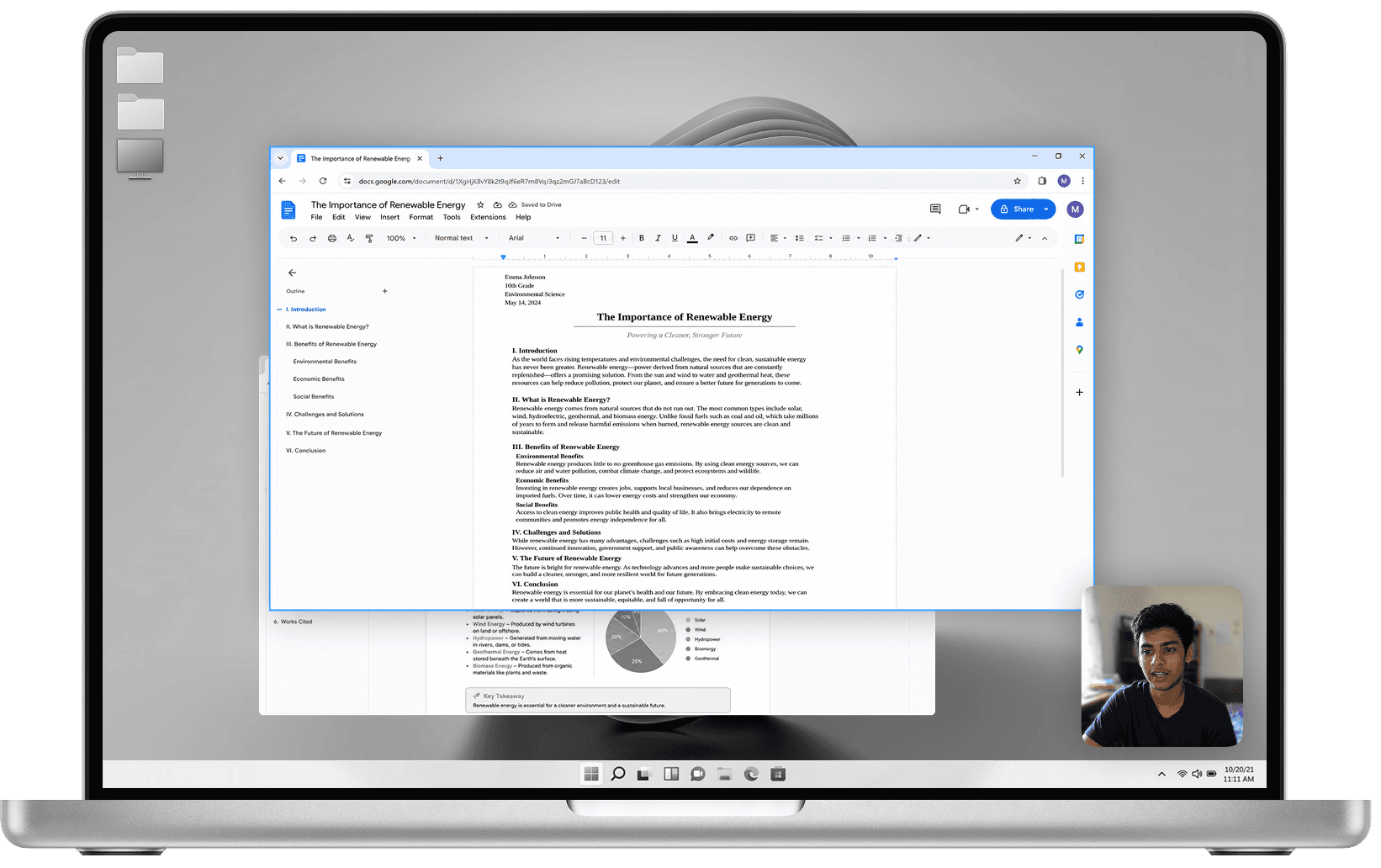
Finish recording and you’re nearly done — your project opens clean, polished, and ready to share, with smart settings already applied automatically.
Compare a raw and polished student screen recording
Zero
manual work.
For loopable Instagram Reels, TikTok videos, and landing-page demo loops, the cursor can return to its starting position near the end of the clip.
Every aspect ratio for Reels, Shorts & TikTok — plus one-click camera layouts, no editing needed.
Rough cursor movements are automatically refined into smooth motion and beautiful glide.
Keep your videos clean - idle cursors are automatically hidden with elegant animation for distraction-free tutorial videos and product demos.
Built for everything you record
Record, edit, and export clean videos on Windows for product demos, tutorials, course lessons, walkthroughs, support clips, and social content.
Designers
Record design reviews, UI walkthroughs, Figma flows, website feedback, and visual presentations with webcam, audio and clean layouts.
Developers
Create coding tutorials, API demos, product walkthroughs, and technical explainers with smooth cursor movement, zooms and shortcut overlays
Founders and Operators
Create investor updates, product demos, internal walkthroughs, team updates, launch clips, and async videos
Content and Marketing
Make Instagram reels, launch videos, tutorials, social clips and feature walkthroughs with auto zoom, camera layouts and export presets.
Sales and Support
Record troubleshooting videos, onboarding walkthroughs, support clips and product explainers with blur masks, highlights, and audio controls.
Personal Use
Record tutorials, personal projects, presentations, webcam videos, study notes and quick clips with screen, microphone, system audio, and simple editing.
Choose exactly
what to record
Capture a full screen, a single window, or a focused area, with webcam, mic, and system audio ready when you need them.
A timeline made
for screen recording
Control your screen, camera, cursor, audio, zooms, and trims in one focused editor built around the way tutorials and demos are actually made.
Clip
4s 1x
Clip
8.5s 1x
Clip
4.5s 1x
Clip
2s 1x
Clip
2.5s 1x
Clip
1s 1x
Clip
2s 1x
Clip
1s 1x
Clip
8s 1x
Clip
8s 1x
Loved by people
creating on Windows
Join thousands of YouTubers, course creators, and SaaS founders using Pane Studio to record tutorials, product demos, and course content - without manual editing.
Kilmer B
@kilmer.berkins0I initially switched Loom to the free tier, and soon after discontinued its use altogether. Then i discovered Pane and i was blown away by the ease of use and the quality of the videos.

Ethan Brooks
@brooksbksnWas looking for a solid screen recorder, for my work & gave @Pane a try, got myself a license within 10 mins - flawless UX sometimes speaks louder than lengthy marketer's words!
Rachel Mendes
@raychel.menndzThis thing called Pane After trying it for half an hour and I really really like it, so much that I shot this video.

Liam Duarte
@liam.devnotesThis thing called Pane After trying it for half an hour and I really really like it, so much that I shot this video.

Sam
@sameed_yWow ! @pane_studio is gooooooooood!